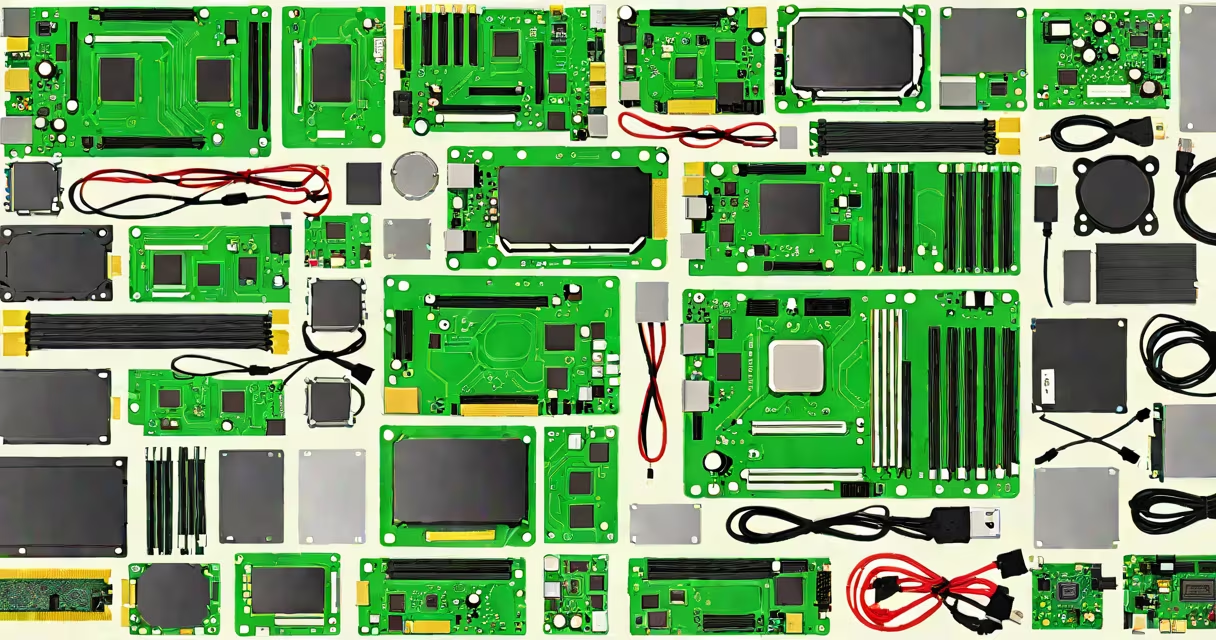
A PC requires a central processing unit (CPU), graphics processing unit (GPU), motherboard, memory (RAM), storage drive, power supply unit (PSU), and a chassis to house them. These components work together to run operating systems, applications, and games.
The CPU handles instruction execution and system logic. Modern CPUs come in Intel Core or AMD Ryzen lines, with performance measured in clock speed (GHz) and core count. A 12-core AMD Ryzen 7 7700X runs at 4.5 GHz base frequency and supports multi-threaded tasks like video rendering.
The GPU processes visual output. Integrated graphics on some CPUs handle basic display tasks, but dedicated GPUs like NVIDIA GeForce RTX 4070 or AMD Radeon RX 7800 XT deliver high frame rates in gaming and 3D work. The GPU connects via PCIe slots on the motherboard.
The motherboard serves as the central hub. It holds the CPU socket, RAM slots, PCIe lanes for the GPU, and connections for storage and peripherals. Motherboards use chipsets like Intel Z790 or AMD B650, which determine supported features such as PCIe 5.0 and DDR5 memory.
RAM stores active data for quick access. Most systems use 16GB or 32GB of DDR5 RAM. For example, a Corsair Vengeance 32GB (2x16GB) DDR5-6000MHz kit operates at 6000 MT/s with low latency (CL36).
Storage options include NVMe SSDs and SATA SSDs. An NVMe drive like the Samsung 980 Pro uses PCIe 4.0 x4 interface and achieves read speeds up to 7,000 MB/s. SATA SSDs are slower but widely compatible. HDDs remain viable for bulk storage at lower cost per gigabyte.
The PSU converts AC power from the wall into stable DC voltage for internal components. A 750W 80 Plus Gold-rated unit like the Seasonic Focus GX delivers efficient power delivery and includes safety protections against overvoltage and short circuits.
The case encloses all components and provides airflow. Cases like the Fractal Design Meshify 2 support full-tower motherboards and feature front-panel USB-C and audio ports. Proper cable management reduces turbulence and improves cooling efficiency.
| Component | Type | Common Examples | Performance Factor |
|---|---|---|---|
| CPU | Intel Core i7, AMD Ryzen 7 | Ryzen 7 7700X, Core i7-13700K | Core count, clock speed, cache size |
| GPU | Dedicated, integrated | NVIDIA RTX 4070, Intel Arc A750 | VRAM, CUDA cores, ray tracing capability |
| Motherboard | ATX, micro-ATX, mini-ITX | ASUS ROG Strix B650-E, MSI MPG B760M | Socket compatibility, PCIe version, RAM support |
| RAM | DDR5, DDR4 | Important Ballistix 32GB DDR5-6000 | Speed (MT/s), CAS latency, dual-channel configuration |
| Storage | SSD (NVMe/SATA), HDD | Samsung 980 Pro (NVMe), WD Blue SN580 (SATA) | Sequential read/write speed, endurance (TBW) |
Some users assume all PSUs are interchangeable. This is false. A 650W PSU rated 80 Plus Bronze may lack the stability required for high-end GPUs under load. The PSU must meet wattage requirements and have proper connectors-such as 8-pin EPS for the CPU and 6/8-pin PCIe for the GPU.
Another common mistake is selecting a motherboard without verifying CPU socket compatibility. The AMD AM5 socket supports Ryzen 7000 series processors but not older models. Using an incompatible CPU results in a non-functional system.
I once built a PC using a Ryzen 5 5600X with a B550 motherboard. The system booted successfully, but after installing Windows 11, the OS failed to recognize the GPU. Diagnosing revealed the motherboard's BIOS was outdated. Updating to the latest firmware resolved the issue. This shows that even correct component selection requires up-to-date firmware.
Desktop PCs use these parts to execute software, render graphics, store data, and manage power flow. Gamers prioritize high-refresh-rate displays and useful GPUs. A 144Hz monitor paired with an RTX 4070 delivers 100+ FPS in titles like Cyberpunk 2077 at 1440p resolution.
Content creators rely on fast storage and large RAM capacity. Editing 4K video in Adobe Premiere Pro requires at least 32GB of RAM and an NVMe SSD to reduce project load times. A 1TB Samsung 980 Pro cuts import time from 4 minutes to under 30 seconds compared to a SATA SSD.
Business users often choose reliability over peak performance. A Dell OptiPlex with a Core i5-12400F and 16GB RAM handles email, spreadsheets, and web conferencing efficiently. These systems prioritize long-term uptime and low maintenance costs.
Many confuse integrated graphics with dedicated GPUs. Integrated graphics are built into the CPU and share system RAM. They perform adequately for office work and media playback but struggle with modern games. A Ryzen 5 5600G can run Minecraft at 60 FPS on medium settings but fails to maintain 30 FPS in Red Dead Redemption 2.
Another misconception is that more RAM always equals better performance. While 32GB helps in multitasking and virtual machines, 16GB suffices for most daily tasks. Adding 64GB to a system running only Chrome, Word, and Spotify offers no measurable benefit.
Some believe all cases are equal. But airflow design affects thermal performance. A case with poor ventilation causes CPU temperatures to spike above 90°C during sustained workloads. The Fractal Design Define 7 Compact, with front intake and rear exhaust fans, maintains CPU temps below 75°C under load.
Understanding the role of each part prevents costly mistakes. A mismatched PSU can damage the motherboard. Using a DDR4 RAM stick in a DDR5 motherboard causes boot failure. Always verify compatibility before purchasing.
When assembling a PC, start with the CPU and cooler, then install RAM and GPU before connecting the PSU. Follow manufacturer guides for step-by-step assembly. Test the system with minimal components first-motherboard, CPU, RAM, and PSU-to confirm power delivery before adding storage and peripherals.
These core components form the foundation of any functional PC. Knowing what parts needed for a pc ensures a stable, efficient build tailored to specific needs.