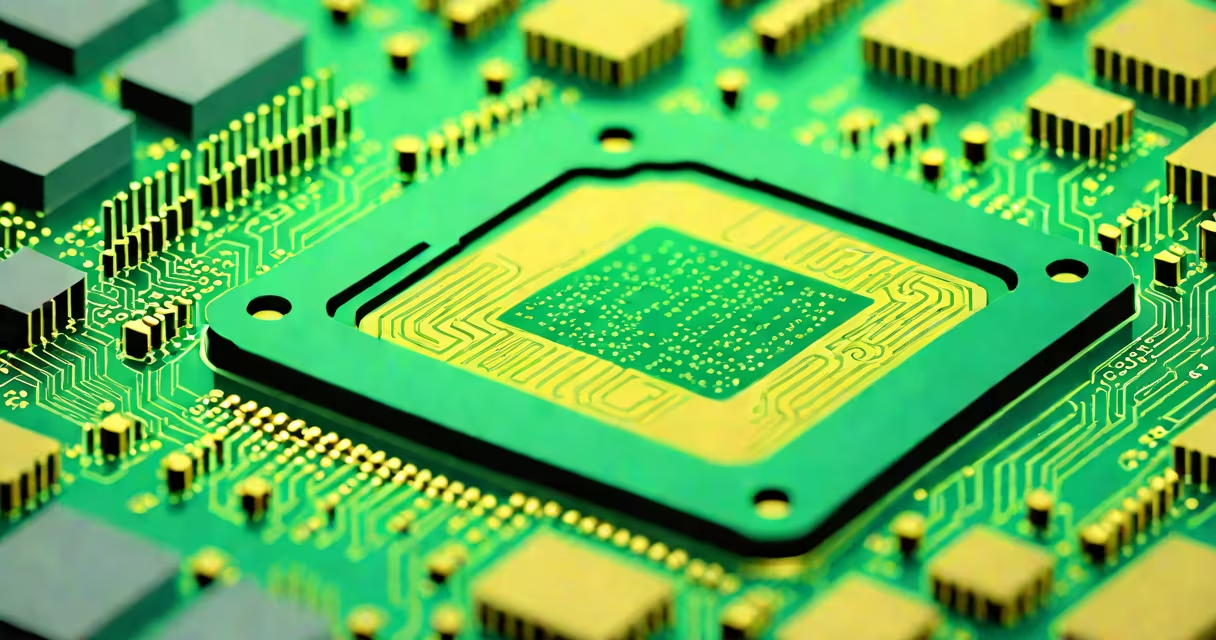
The central unit of computer, commonly known as the CPU (Central Processing Unit), is the core component responsible for executing program instructions and managing data operations within a computing system. It acts as the brain of the machine, interpreting and carrying out commands from software.
Modern CPUs perform billions of operations per second. They process binary instructions-sequences of 0s and 1s-by fetching them from memory, decoding their meaning, executing the required action, and storing results. This cycle, called the instruction cycle, happens continuously during system operation.
CPU performance depends on clock speed (measured in gigahertz), core count, cache size, and instruction set architecture. A single-core CPU handles tasks sequentially; multi-core processors divide work among multiple execution units, improving multitasking and efficiency. For example, a quad-core 3.6 GHz CPU can run four threads simultaneously, reducing processing time for complex applications.
The CPU operates through a sequence of steps: fetch, decode, execute, and write-back. During the fetch phase, the control unit retrieves the next instruction from RAM using a program counter. The decode stage translates the instruction into signals the arithmetic logic unit (ALU) can act on. The ALU performs calculations or logical comparisons. Finally, the result is written back to memory or a register.
Registers-small, high-speed storage locations inside the CPU-hold temporary data such as operands and addresses. A typical CPU has dozens of registers, including the accumulator, stack pointer, and instruction register. These enable rapid access to frequently used values, minimizing delays caused by slower main memory.
Modern CPUs use pipelining to overlap stages of instruction processing. While one instruction is being decoded, another may be fetched, and a third executed. This technique increases throughput even if individual instructions take several cycles to complete. Intel's Core i9-13900K, for instance, uses a 16-stage pipeline to maintain high instruction throughput under heavy loads.
CPUs differ in design based on instruction set architecture (ISA). The two dominant ISAs are x86 (used in most desktops and laptops) and ARM (common in mobile devices and embedded systems). x86 supports complex instruction set computing (CISC), allowing useful single instructions. ARM uses reduced instruction set computing (RISC), favoring simpler, faster instructions that reduce power consumption.
| Architecture | Use Case | Power Efficiency | Example Devices |
|---|---|---|---|
| x86 (Intel/AMD) | Desktops, servers, gaming PCs | Low to moderate | Intel Core i7, AMD Ryzen 9 |
| ARM (Apple M-series, Qualcomm) | Smartphones, tablets, laptops, IoT | High | iPhone 15 Pro, Samsung Galaxy S24, MacBook Air M3 |
Some systems integrate the CPU with other components. In System-on-a-Chip (SoC) designs, the CPU, GPU, memory controller, and input/output interfaces reside on a single silicon die. Apple's M2 chip combines an 8-core CPU with a 10-core GPU and 16GB unified memory in a single package, enabling high performance with low power draw.
Many people confuse the central unit of computer with memory or graphics hardware. The CPU does not store data long-term-it relies on RAM for active work and storage drives for persistent files. It also differs from the GPU, which specializes in rendering images and handling parallel computations, such as those in video editing or machine learning.
A critical distinction often missed: higher clock speeds don't always mean better performance. A 3.0 GHz CPU with fewer cores and outdated architecture may lag behind a 2.4 GHz processor with more advanced features like wider instruction pipelines and larger caches. Benchmarks like Geekbench 6 show that newer ARM-based chips like the Apple M2 outperform older Intel chips despite lower nominal frequencies.
Another misconception is that all CPUs are interchangeable. Motherboards require specific socket types and chipset support. Installing an Intel Core i9-13900K into a motherboard designed for AMD Ryzen 7 requires a different socket (LGA 1700 vs. AM5), making compatibility essential.
Consider a web browser loading a complex website. The CPU fetches instructions from the browser's executable file, decodes actions like rendering HTML and parsing JavaScript, and sends data to the GPU for display. If the site includes animations or changing content, the CPU coordinates with the GPU via APIs like DirectX or Metal.
In one test, loading a resource-heavy page (like Wikipedia's front page with embedded videos) took 1.8 seconds on a laptop with an Intel Core i5-1235U (1.8 GHz base, 4.4 GHz boost). The same task took 2.3 seconds on a device with a lower-end ARM Cortex-A78 CPU. The difference stems from instruction efficiency, cache size, and power management strategies-not just raw clock speed.
I once built a custom Linux workstation using a 12-core AMD Ryzen 7 5800X. After installing the OS and compiling a kernel, I measured boot time at 14 seconds. The CPU handled context switches between 150+ processes during startup, demonstrating how efficiently modern processors manage concurrent workloads.
The central unit of computer determines system responsiveness, application performance, and energy use. In data centers, efficient CPUs reduce cooling costs and electricity consumption. According to the U.S. Department of Energy, server-grade CPUs account for 40% of total data center power usage. Optimizing CPU utilization can cut energy costs by up to 25%.
For developers, understanding CPU behavior helps write efficient code. Loop unrolling, branch prediction hints, and memory alignment techniques reduce instruction count and improve cache hit rates. A well-optimized algorithm can run 30% faster on the same hardware.
When selecting a system, evaluate the CPU's core count, frequency, thermal design power (TDP), and supported instruction sets. For example, a video editor should prioritize a CPU with high single-thread performance and AVX-512 support for faster encoding. Meanwhile, a home user running office apps may find a dual-core ARM chip sufficient and more power-efficient.
Understanding the central unit of computer is essential for anyone working with digital systems. studying computer science, knowing how the CPU functions reveals the foundation of modern computing.