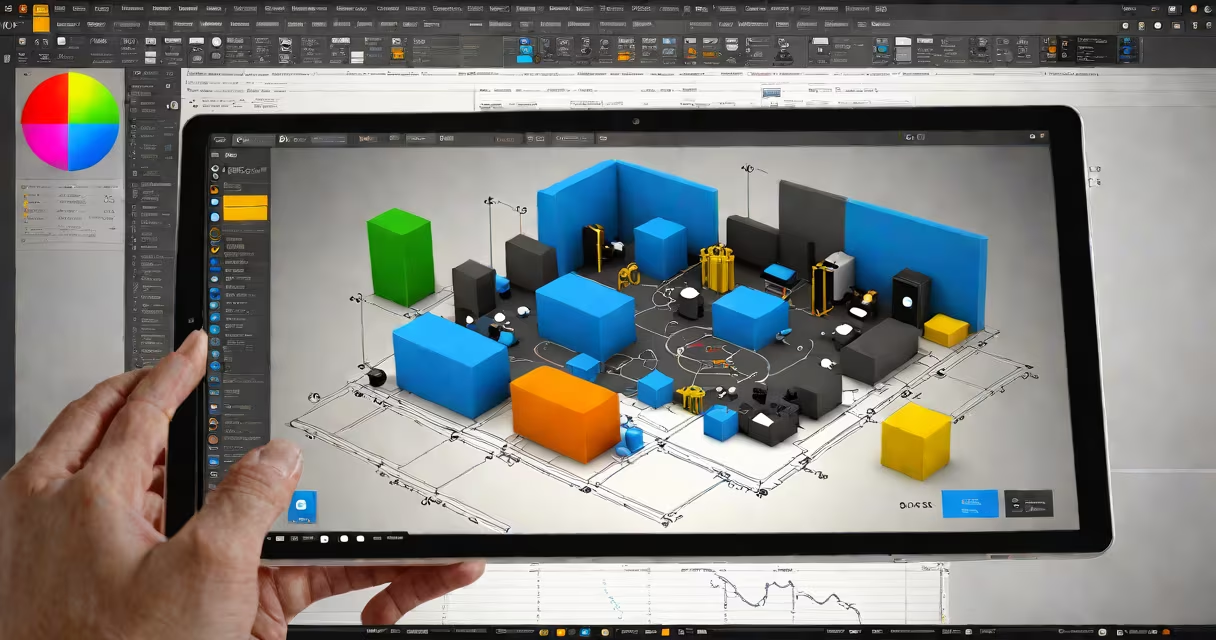
Bluebeam Revu is a PDF editing and collaboration platform designed for professionals in architecture, engineering, construction, and legal fields. It enables users to annotate, measure, compare, and manage complex document sets directly within PDF format.
Unlike basic PDF viewers, Bluebeam adds advanced markup tools, measurement functions, and workflow automation. It's used to review drawings, track changes, generate reports, and coordinate tasks across multidisciplinary teams working on projects like building designs, site plans, and contract documents.
Bluebeam is not a CAD program or a document management system. It operates inside PDFs-files that preserve layout, fonts, and images exactly as intended. This makes it ideal for sharing finalized documents without format drift. The software runs on Windows and macOS, with mobile apps for iOS and Android.
Bluebeam opens PDF files and overlays interactive tools. Users can draw lines, insert text boxes, apply stamps, show areas, and add comments-all tied to specific pages or coordinates. These edits stay visible and editable during team reviews.
Each markup is stored as metadata within the PDF. When shared, recipients see all changes without needing Bluebeam installed. However, full functionality requires the Revu license. Files remain searchable and printable, even after heavy markup.
For example, a structural engineer reviewing a set of shop drawings can use the "Measure" tool to calculate the distance between two beams. The result appears instantly in feet and inches. They can then comment "Verify connection weld size" and attach a reference drawing via a linked file. All this happens in real time, without switching applications.
Bluebeam offers a set of tools tailored for technical documentation. Key features include:
These tools are accessible through a customizable toolbar. Users can save frequently used actions as macros or assign keyboard shortcuts. For instance, a project manager might create a macro that inserts a standard "Pending Review" stamp, adds a date, and logs the action in a metadata field.
Bluebeam also supports integration with external systems. It can export markups to Excel, generate takeoff summaries, and sync with BIM models using plugins. The software tracks who made each edit and when-critical for compliance and audit trails.
Bluebeam is most common in AEC (architecture, engineering, construction) workflows. It's used throughout the lifecycle of a project-from initial design to final closeout.
| Project Phase | Common Use Case | Example Task |
|---|---|---|
| Design Review | Marking up architectural plans | Highlighting a door swing conflict in a floor plan |
| Submittal Processing | Reviewing product data sheets | Adding comments to a manufacturer's specification PDF |
| Field Coordination | Comparing as-built vs. as-designed drawings | Using comparison mode to identify a missing pipe run |
| Change Management | Tracking RFIs and change orders | Linking a comment to a formal change request number |
One firm I worked with used Bluebeam to reduce coordination meetings by 40%. Instead of gathering in person, they shared marked-up PDFs with timestamps and version numbers. Team leads reviewed changes remotely, approved them via embedded signatures, and archived the final versions in a cloud folder.
Bluebeam does not replace AutoCAD, Revit, or SolidWorks. It cannot modify vector geometry or perform parametric modeling. You cannot extrude a wall or adjust a beam's load rating inside Bluebeam.
It also doesn't store documents long-term. While Bluebeam handles file organization well, it lacks enterprise-grade version control or retention policies. For that, teams pair it with platforms like SharePoint, Procore, or Autodesk Construction Cloud.
A common misunderstanding is that Bluebeam is only for architects. In reality, it's widely used by contractors, owners, inspectors, and attorneys. Legal teams use it to redact sensitive information in depositions or contracts. A law firm in Chicago reported a 60% reduction in redaction errors after adopting Bluebeam's precision masking tools.
Most users focus on visible markups. But Bluebeam stores rich metadata behind the scenes-names, dates, locations, and even GPS coordinates if enabled. This data powers automated reporting and compliance tracking.
For example, a contractor can use Bluebeam's "Audit Trail" feature to log every edit. The system records who changed what, when, and from which device. This level of detail meets ISO 9001 and OSHA documentation standards.
Another underused function is "Content Search." You can search for all instances of a specific word, such as "fire-rated," across a 500-page document set. Bluebeam returns every page where it appears, along with context snippets. This speeds up compliance checks.
A renovation team in Boston used Bluebeam to coordinate work on a historic building. The original blueprints were scanned and converted into PDFs. The team imported them into Bluebeam and applied color-coded layers:
They measured the width of a corridor and discovered it fell short of ADA requirements. The team added a comment: "Increase clearance to 36" minimum." The comment was assigned to the lead architect and flagged in a daily status report generated by Bluebeam's built-in dashboard.
After revisions, the updated drawings were re-imported. Bluebeam compared the new version against the old, highlighting all changes. The team reviewed only the modified sections, saving 12 hours of manual inspection time.
This process reduced rework by 28% and shortened the approval cycle from 14 days to 7.
What does Bluebeam do? It transforms static PDFs into changing, collaborative workspaces. It's not about creating documents-it's about managing them with precision, speed, and accountability.
For anyone working with technical drawings, contracts, or project deliverables, Bluebeam streamlines communication, reduces errors, and keeps teams aligned. Its strength lies in turning paper-based processes into digital workflows that scale across large teams and complex projects.
Understanding what Bluebeam does is essential for anyone involved in construction, design, or technical documentation. It's not a replacement for other tools-but it's often the bridge between them.