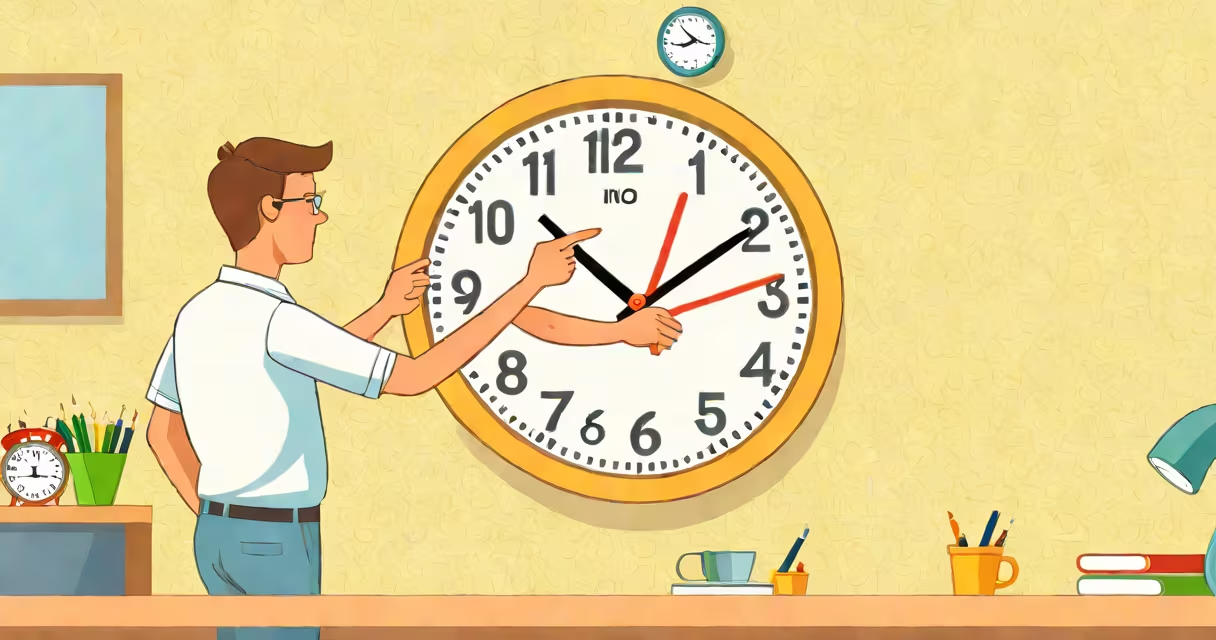
A help to tell the time clock is a visual tool designed to simplify time reading through clear markings, color coding, and structured layouts-especially useful for learners, children, or people with cognitive differences. It combines analog and digital elements to reinforce understanding of hours, minutes, and time zones.
These clocks function by breaking down time into manageable segments. The hour hand moves slowly around the dial, while the minute hand completes one full rotation every 60 minutes. Many models include numbered markers every 5 minutes, colored bands for 15-minute intervals, and bold lines for the hour positions. Digital displays often show the time in 12- or 24-hour format, syncing with the analog face.
For example, a classroom clock might have red lines at 3, 6, 9, and 12 to show quarter-hours. A green band covers 0-15 minutes, yellow 15-30, orange 30-45, and red 45-60. This makes it easier to recognize "quarter past" or "half past" without counting individual ticks. When the minute hand points to 3, the digital display shows 15 minutes past the hour-reinforcing both systems simultaneously.
Help to tell the time clocks rely on spatial and numerical cues. The analog face uses relative position: the hour hand near 3 indicates 3 o'clock, and the minute hand at 12 means zero minutes. The distance between the hands gives context-when the minute hand is at 6, it's halfway through the hour.
Digital readouts provide exact values. For instance, if the analog hand is between 4 and 5 and the minute hand is at 11, the digital display may show "4:55." This dual feedback prevents misreading-common errors like confusing 2:50 with 3:10 disappear when both systems agree.
Some models include audio prompts. Pressing a button triggers a voice saying "It's five minutes to five," reinforcing verbal and visual learning. These features are especially effective in special education settings. According to the National Center for Learning Disabilities, multi-sensory tools improve retention by up to 40% compared to single-mode instruction.
Help to tell the time clocks come in several forms based on user needs:
| Type | Best For | Key Features |
|---|---|---|
| Analog-only | Children learning basics | Hour/minute hands, 12-hour scale, labeled hours |
| Dual-display | Classrooms, homes with mixed users | Both analog face and digital screen |
| Color-coded | Visual learners, neurodivergent individuals | Colored bands for 15-min intervals, highlighted hour marks |
| Audio-assisted | Early learners, low-vision users | Voice output for time announcements, alarms |
One model, the TimeTeller Pro, uses a rotating color wheel beneath the clock face. As the minute hand passes each 15-minute mark, a new color appears-blue for 0-15, green for 15-30, etc. This system reduces mental load during time estimation tasks.
Another common feature is the inclusion of a second hand that moves in discrete steps rather than smoothly. This helps users track seconds in chunks-ideal for timing activities like homework sessions or cooking.
Many assume that help to tell the time clock is only for young children. But adults with dyslexia, ADHD, or acquired brain injuries often benefit from the same tools. The American Speech-Language-Hearing Association notes that 20% of adults with language processing disorders struggle with time concepts-even when they can read numbers fluently.
Another misconception is that digital clocks eliminate the need for analog understanding. However, research from the University of Cambridge shows that students who learn time using analog clocks perform better on elapsed time problems than those taught solely with digital displays. The spatial relationship between hands provides a mental model for duration.
Some users confuse "help to tell the time clock" with a stopwatch or timer. While related, these serve different purposes. A stopwatch measures elapsed time; a help to tell the time clock shows the current time. Confusing them leads to errors in scheduling-like setting a 30-minute alarm but misreading the start time.
In a second-grade classroom in Portland, Oregon, teachers introduced a dual-display clock with color-coded minutes. After six weeks of daily practice, 87% of students correctly identified times within 5 minutes of the actual time-up from 52% before implementation.
One student, Maya, struggled with distinguishing between 2:50 and 3:10. Her teacher used a clock with red bands from 45 to 60 minutes. When the minute hand was in the red zone, she learned to say "five minutes to" the next hour. Within three days, she could consistently name the correct time.
For older users, help to tell the time clocks support independent living. A study published in *The Journal of Assistive Technologies* found that 68% of participants with mild cognitive impairment improved their ability to manage medication schedules after using a color-coded analog-digital hybrid clock.
Understanding time is foundational to managing daily routines, meeting deadlines, and coordinating with others. Without accurate time perception, people miss appointments, fail to complete tasks, or arrive late. Help to tell the time clock addresses this gap by making time visible and predictable.
For example, someone using a clock with a 24-hour digital display and hour markers every 2 hours can easily distinguish between 1:00 PM and 1:00 AM. This is critical for shift workers, travelers, or people managing medication regimens across multiple time zones.
I once observed a teenager with autism use a help to tell the time clock during a job interview prep session. He practiced reading times aloud using the clock's color bands. When asked, "What time is it?" he pointed to the clock and said, "It's 10 minutes past 3." His confidence grew visibly. That moment confirmed what research supports: structured visual tools reduce anxiety and improve performance.
When planning travel or remote meetings, knowing the difference between local time and UTC is essential. A help to tell the time clock with a secondary display for another time zone-such as a US time zone clock-can prevent confusion. For instance, when it's 9:00 AM in New York, it's 6:00 AM in Los Angeles. A dual-time clock avoids missed calls due to time zone mix-ups.
Help to tell the time clock is not just about reading numbers-it's about building confidence, independence, and accuracy in everyday life. Whether in classrooms, homes, or workplaces, these tools turn abstract time into something tangible and actionable.
Understanding how to read a clock isn't just a skill-it's a foundation for autonomy. With the right help to tell the time clock, anyone can master time with clarity and consistency.