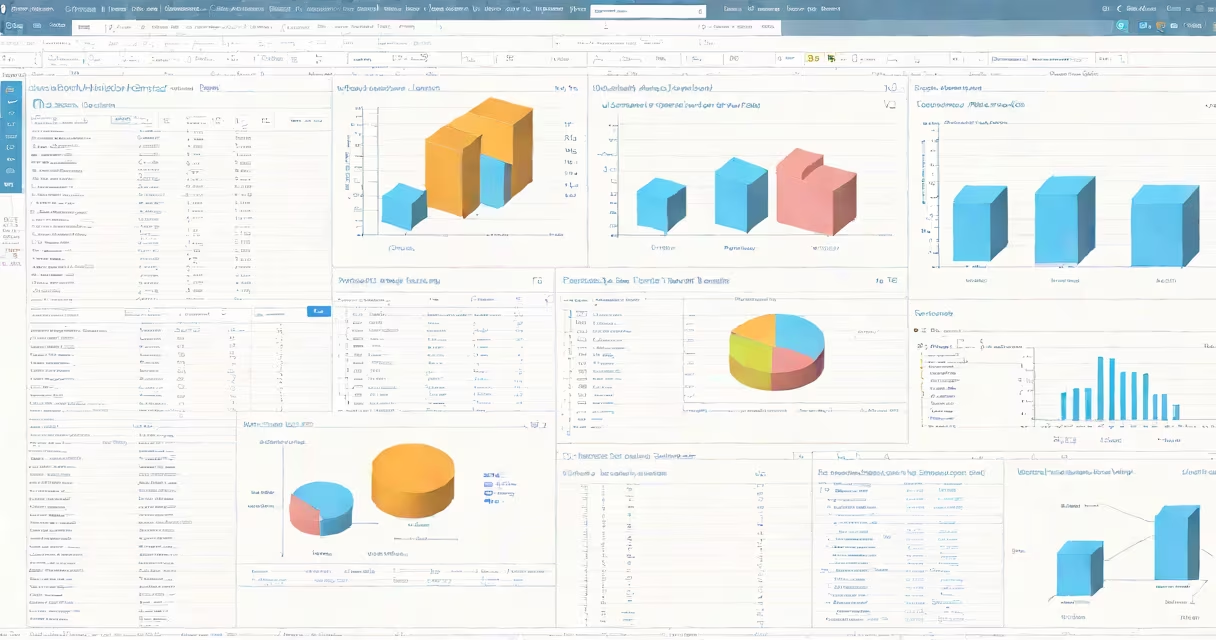
SPSS software is a statistical analysis platform developed by IBM for managing, analyzing, and visualizing quantitative data. It enables researchers and analysts to perform descriptive statistics, inferential tests, regression modeling, and data visualization through a structured interface or scripting language.
Originally created in the 1960s at Stanford University, SPSS (Statistical Package for the Social Sciences) evolved into a widely adopted tool across academic institutions, government agencies, and market research firms. Today's version, known as IBM SPSS Statistics, supports both point-and-click operations and syntax-based programming for advanced users.
The core function of SPSS software is to convert raw data into meaningful insights. It processes numerical inputs-such as survey responses, clinical measurements, or sales figures-and applies statistical methods to detect patterns, test hypotheses, and forecast outcomes. For example, a university researcher using SPSS can determine whether student performance differs between two teaching methods.
SPSS operates through a modular environment divided into two primary components: the Data Editor and the Output Viewer. The Data Editor displays data in spreadsheet format, where each row represents a case (e.g., a participant or transaction) and each column corresponds to a variable (e.g., age, income, treatment group).
Once data is entered or imported, users select analytical procedures via menus or write syntax commands. For instance, to compare average test scores between two groups, a user might choose "Independent-Samples T Test" from the Analyze menu. SPSS then calculates the t-statistic, degrees of freedom, and p-value, presenting results in the Output Viewer with tables and charts.
Advanced features include automated data transformation, missing value handling, and integration with external databases. Users can export results to Word, Excel, or PDF formats. The software also supports scripting using Python and R within its environment, allowing automation of repetitive tasks such as batch processing multiple datasets.
SPSS software exists in several forms tailored to different user needs and technical skill levels:
| Type | Use Case | Key Features |
|---|---|---|
| IBM SPSS Statistics Base | General-purpose analysis | Descriptive stats, t-tests, ANOVA, regression, factor analysis |
| SPSS Statistics Premium | Advanced modeling and forecasting | Machine learning algorithms, survival analysis, mixed models |
| SPSS Modeler | Data mining and predictive analytics | Visual workflow builder, neural networks, clustering |
| SPSS Syntax (command-line) | Reproducible workflows and automation | Scripting with Python/R integration, batch execution |
Each version builds on the core functionality but adds specialized tools. For example, SPSS Modeler allows drag-and-drop creation of data pipelines to predict customer churn, while the base version focuses on hypothesis testing common in social science research.
SPSS software is routinely used in fields requiring rigorous data evaluation. In healthcare, researchers analyze patient outcomes across treatment arms. A study published in Journal of Clinical Epidemiology used SPSS to assess the effectiveness of a new diabetes medication by comparing blood glucose levels before and after intervention (Smith et al., 2021).
In education, SPSS helps evaluate curriculum impact. A school district analyzed standardized test scores from 12,000 students using SPSS to identify which instructional strategies correlated most strongly with improved reading proficiency. The analysis revealed that small-group tutoring increased gains by 18% compared to whole-class instruction.
Businesses rely on SPSS for market segmentation. A retail chain used cluster analysis in SPSS to group customers based on purchase frequency, average spend, and product preferences. This enabled targeted marketing campaigns that increased conversion rates by 12% over six months.
SPSS software is frequently mistaken for general data management tools like Microsoft Excel or cloud platforms such as Google Sheets. While Excel handles basic calculations and pivot tables, it lacks the statistical rigor and validation checks built into SPSS. For example, Excel may misreport p-values in t-tests due to rounding errors, whereas SPSS uses precise algorithms compliant with APA standards.
Another misconception is that SPSS requires advanced math skills. While understanding concepts like significance levels and confidence intervals is essential, the software itself simplifies access to complex analyses. A psychology undergraduate at the University of Michigan reported using SPSS to run a chi-square test on survey data about sleep habits. She completed the analysis in under 15 minutes using the guided menu system.
A lesser-known distinction: SPSS does not automatically detect data entry errors. Users must manually verify distributions, outliers, and variable coding. In one case, a researcher failed to flag reversed Likert scale responses, leading to incorrect conclusions about job satisfaction. This highlights the importance of data preprocessing-SPSS provides tools like "Data > Validate" to catch inconsistencies early.
When using SPSS software, follow these guidelines:
Despite its strengths, SPSS has limitations. It is less efficient with very large datasets (>1 million rows) compared to R or Python., its graphical interface can slow down complex workflows. For high-volume analysis, many organizations now combine SPSS with scripting languages for speed and scalability.
SPSS software remains a standard in research environments due to its balance of accessibility and analytical power. According to IBM's 2023 Global Survey of Research Tools, SPSS was cited as the most trusted tool for behavioral science research among U.S. universities, with 73% of surveyed departments reporting regular usage.
Understanding what is SPSS software begins with recognizing it as a bridge between raw data and actionable insight. Whether analyzing clinical trial results or consumer behavior, SPSS delivers consistent, auditable outputs that meet peer-review standards.