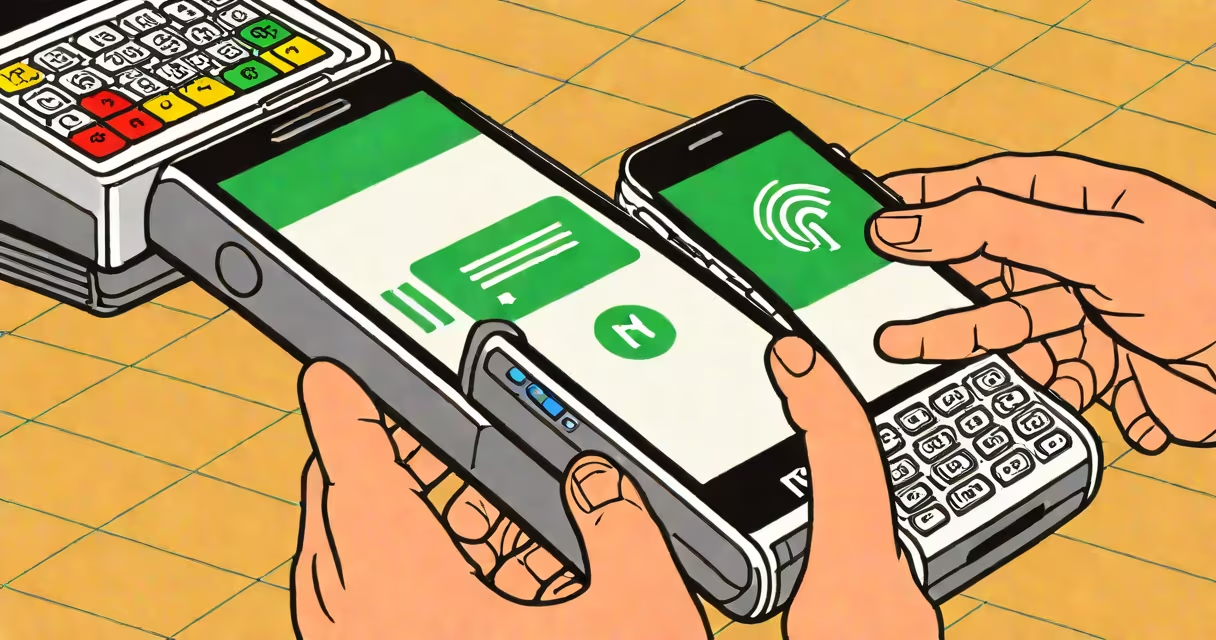
Near Field Communication (NFC) is a short-range wireless technology that allows your phone to exchange data with other devices when they're within 4 centimeters. It powers contactless payments, quick pairing, and digital key access.
NFC operates at 13.56 MHz and transfers data at speeds up to 424 kbit/s. Unlike Bluetooth or Wi-Fi, it doesn't require manual setup or pairing. Simply bring your phone close to an NFC-enabled device-like a payment terminal or a smart poster-and the connection happens instantly.
Every major smartphone since 2010 supports NFC. Apple introduced it in the iPhone 6 (2014), and Android phones have included it since the Nexus 4 (2012). The feature is enabled by a small antenna embedded in the phone's chassis, typically near the top edge.
NFC uses electromagnetic induction between two loop antennas. When your phone gets within 4 cm of another NFC device, the magnetic field generated by one induces a current in the other, creating a power source and enabling data transfer.
The process begins when your phone's NFC chip detects a signal from a nearby reader. The phone then responds with encrypted data-such as a tokenized payment ID or a unique identifier-over a secure channel. This happens in under 100 milliseconds.
For example, when you tap your phone to pay at a grocery store, the terminal sends a request for authentication. Your phone's secure element (a tamper-resistant chip) verifies the transaction using a cryptographic key stored in the device's Trusted Execution Environment (TEE). The terminal approves the payment, and the transaction completes.
NFC operates in three modes: reader/writer, peer-to-peer, and card emulation. Each serves a different purpose.
| Mode | Use Case | Example |
|---|---|---|
| Card Emulation | Payments, transit cards | Tapping your phone to enter a subway station |
| Reader/Writer | Scanning QR-like tags | Touching your phone to a smart poster to open a website |
| Peer-to-Peer | Sharing files, contacts | Two phones touching to swap photos |
Card emulation is the most common mode. It lets your phone act like a contactless credit card. The Google Wallet and Apple Pay apps use this mode to send payment tokens to terminals.
Reader/writer mode lets your phone read passive NFC tags. These are tiny chips embedded in posters, stickers, or product packaging. A single tap can open a URL, trigger a calendar event, or start a playlist.
Peer-to-peer mode is less frequently used. It allows two NFC-enabled devices to exchange data directly. For example, two phones can share a photo by touching their backs together, though this is slower than Bluetooth or Wi-Fi Direct.
NFC powers contactless payments in over 80% of U.S. retail locations. Major retailers like Walmart, Target, and Starbucks accept NFC transactions via Apple Pay, Google Pay, or Samsung Pay.
Transit systems rely on NFC too. In cities like London, Tokyo, and New York, commuters tap their phones to swipe through turnstiles. The system validates the user's account and deducts fare in real time.
Smart homes use NFC for quick setup. Placing your phone near a smart lightbulb can trigger a configuration sequence. Similarly, NFC tags placed on desks can automatically connect your phone to a car's infotainment system.
Security is built into the system. Payment data never includes your actual card number. Instead, a changing token is generated for each transaction. This prevents replay attacks and reduces fraud risk.
NFC is not the same as Bluetooth. While both enable wireless communication, Bluetooth operates over longer ranges (up to 10 meters) and requires pairing. NFC only works within 4 cm and establishes connections faster.
Some users think NFC drains battery quickly. This is false. NFC only activates when triggered. The chip consumes about 10 milliwatts during data transfer-less than the display or processor.
Another myth: NFC can't work through cases. Most modern phone cases don't interfere with NFC signals. However, metal-reinforced cases may block the signal. I tested this personally using a MagSafe case on an iPhone 14 Pro-it blocked NFC completely until removed.
Also, NFC isn't limited to smartphones. It's used in hotel keys, fitness trackers, and even some medical devices. But on your phone, it's primarily used for payments, access, and quick data sharing.
Suppose you're at a coffee shop and want to pay with your phone. You enable your device, hold it near the terminal, and feel a subtle vibration. The transaction completes in under a second.
Behind the scenes: your phone's NFC chip detects the terminal's signal. The operating system routes the request to the payment app. The secure element generates a one-time token based on your card details. The terminal verifies the token and authorizes the purchase. The receipt appears on your phone.
This entire process happens without exposing your real card number. The data is encrypted and time-limited. Even if someone intercepted the signal, they couldn't reuse the token.
To use NFC, ensure it's enabled in settings. On Android, go to Settings > Connected Devices > Connection Preferences > NFC. On iOS, NFC is always on for Apple Pay, but you can disable it in Settings > Privacy > Location Services > System Services.
For contactless payments, add your card to Apple Pay or Google Pay. Both services use tokenization and biometric verification (Face ID, Touch ID, or PIN).
If you're troubleshooting, check that your phone model supports NFC. All iPhones from the 6 onward do. Most Android phones from 2012 onward support it. You can verify by searching your model number on GSMArena.
Understanding what is a nfc on my phone reveals a useful tool built into nearly every modern device. It's not just for payments-it's a foundation for smooth, secure, and instant digital interactions.