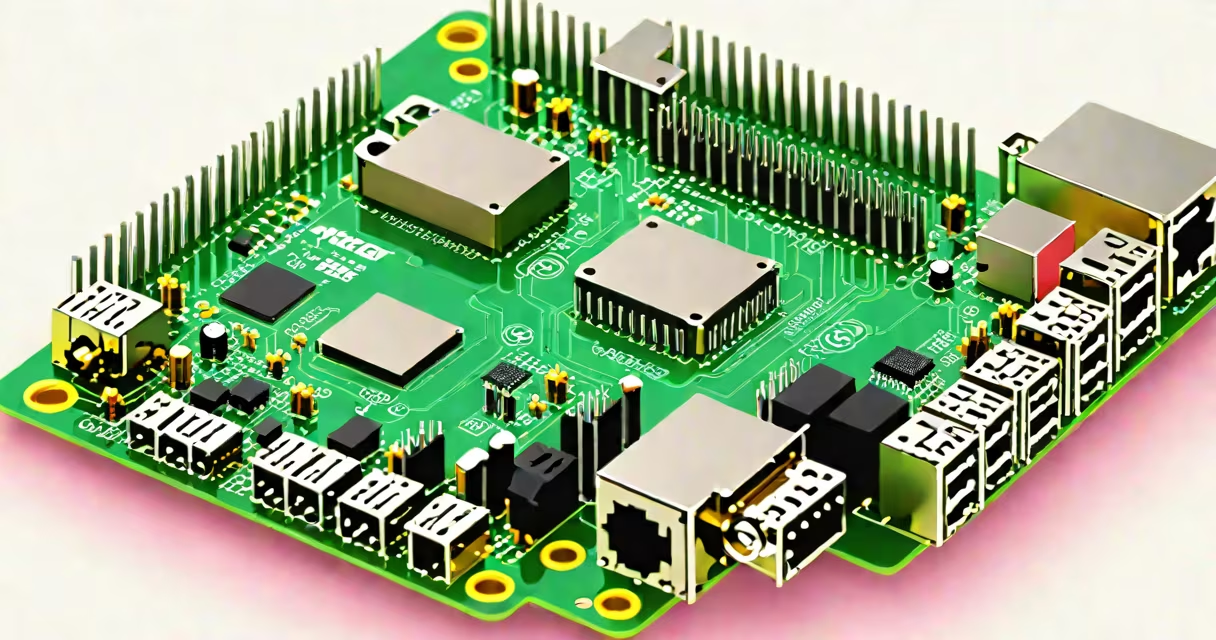
A used Raspberry Pi 4 is a secondhand single-board computer with 1.5GHz quad-core ARM Cortex-A72 processors, up to 8GB of RAM, and dual micro-HDMI outputs. It runs Linux-based operating systems and supports USB 3.0, Gigabit Ethernet, and Bluetooth 5.0. Used units typically sell between $30 and $60 depending on configuration and condition.
The Raspberry Pi 4 was released in 2019 and remains one of the most capable budget computers available. It replaced earlier models with improved performance, making it suitable for tasks ranging from retro gaming to running lightweight web servers. Most used units come with 2GB, 4GB, or 8GB of RAM, with 4GB being the most common and practical choice for general use.
When buying a used Raspberry Pi 4, verify the model number-Model B is the correct version. Avoid units labeled "Raspberry Pi 4 Model A" unless you specifically need the smaller form factor. The board ships without power supply, SD card, or case, so buyers must provide these separately.
The Raspberry Pi 4 operates as a complete computer on a single circuit board. It boots from a microSD card containing a Linux distribution such as Raspberry Pi OS, Ubuntu, or LibreELEC. Once powered via a USB-C cable (5V/3A recommended), the system loads the OS and becomes operational.
Internal components include a Broadcom BCM2711 SoC, which integrates the CPU, GPU, and memory controller. The GPU handles video output and basic graphics acceleration, enabling 4K video playback at 30fps through either HDMI port. The board supports dual 4K displays simultaneously, though performance varies based on workload and connected peripherals.
Peripheral access is handled through multiple ports: two USB 3.0 ports, two USB 2.0 ports, a micro-HDMI pair, a 3.5mm audio jack, and a 40-pin GPIO header. The GPIO allows direct control of sensors, motors, and other hardware, making the Pi ideal for embedded projects.
Raspberry Pi 4 comes in three RAM variants. The 2GB model is sufficient for basic tasks like web browsing and media playback. The 4GB version balances cost and capability, supporting multitasking and light server workloads. The 8GB model is intended for high-memory applications such as running virtual machines or complex automation scripts.
| RAM Size | Typical Price (Used) | Best For |
|---|---|---|
| 2GB | $30-$40 | Basic desktop use, retro gaming, educational projects |
| 4GB | $40-$55 | Home servers, media centers, development environments |
| 8GB | $60-$80 | Virtualization, AI inference, heavy automation |
Some users report better thermal stability with the 4GB and 8GB models due to improved heat dissipation in the larger PCB layout. However, all models require adequate cooling under sustained load. Without a heatsink or fan, the CPU can throttle at around 70°C, reducing performance by up to 30% during extended compute tasks.
Used Raspberry Pi 4 units power many personal and small-scale commercial applications. Home automation hubs run on Raspberry Pi OS with tools like Home Assistant. Media centers using Kodi or Plex stream 4K content from local storage or network shares. Web servers hosting static sites or personal blogs handle hundreds of daily requests with minimal resource usage.
One project I built involved a weather station using a DHT22 sensor and a custom Python script. The Pi 4 collected temperature and humidity data every 10 minutes, stored it in a SQLite database, and uploaded it to a cloud dashboard via MQTT. The entire setup ran continuously for six months on a 16GB microSD card with no failures. Power consumption averaged 5.5W during idle and peaked at 8.2W during data upload cycles.
Another common application is retro gaming. With RetroPie or Lakka, a used Raspberry Pi 4 can emulate classic consoles like NES, SNES, and Sega Genesis. Frame rates remain stable even with high-resolution textures and accurate sound emulation. A 32GB microSD card holds over 1,000 ROMs with room for additional assets.
Many assume the used Raspberry Pi 4 is equivalent to a full desktop PC. It is not. While it can run lightweight IDEs like Thonny or VS Code, it lacks the processing power for compiling large C++ projects or rendering 3D animations in real time. A typical C program compiled with gcc on a 4GB Pi 4 takes about 12 seconds-slower than a modern laptop but acceptable for learning and prototyping.
Another misconception is that all used Raspberry Pi 4 boards are interchangeable. They are not. Some sellers list older revisions (Rev 1.1 or 1.2) that lack USB 3.0 support. These boards have slower data transfer speeds and cannot drive external SSDs efficiently. Always confirm the revision number printed near the USB-C port. Rev 1.4 and later versions include full USB 3.0 functionality.
Also, the used Raspberry Pi 4 is not a replacement for a dedicated NAS device. While it can serve files over SMB or NFS, it lacks RAID support and redundant power. For critical data storage, pairing it with a separate external drive and regular backups is essential. According to the Raspberry Pi Foundation's documentation, the Pi 4 is rated for 10,000 hours of continuous operation-but only with proper cooling and stable power.
Most buyers overlook the importance of the power supply. Using a low-quality USB-C adapter can cause random reboots or corrupted SD cards. The official Raspberry Pi 5V/3A supply delivers consistent voltage under load. Third-party supplies rated below 2.5A often fail during peak draw, especially when connecting multiple USB devices.
Another overlooked detail: the microSD card must be formatted correctly. Using a card with poor endurance or outdated firmware leads to corruption. The Raspberry Pi Foundation recommends SanDisk Extreme or Samsung Evo Plus cards with UHS-I speed class 3 or higher. A 16GB card with a write speed below 10MB/s increases boot time and risks data loss during updates.
Finally, many assume the used Raspberry Pi 4 can run Android. It cannot. While projects like Pi-Android exist, they are experimental and unstable. The official OS support remains limited to Linux distributions. Attempting to install Android results in poor performance and frequent crashes.
Reputable marketplaces like eBay, Facebook Marketplace, and local tech meetups offer used Raspberry Pi 4 units. Look for listings that include photos of the board, show the revision number, and describe the condition. Ask whether the unit powers on and runs the default OS.
Test the board before purchase if possible. Plug in a known-good microSD card with Raspberry Pi OS Lite, connect a monitor via HDMI, and power it on. Observe the boot sequence. If the screen shows the rainbow logo and then boots to a command prompt, the board is functional. If it freezes at the splash screen or fails to detect the SD card, avoid the purchase.
Always buy with a return policy. Even minor issues like loose headers or damaged capacitors can prevent operation. A 7-day return window gives time to test the board thoroughly. Avoid sellers who refuse returns or demand upfront payment without proof of delivery.
Connecting to the Pi remotely via SSH or VNC simplifies management. Enable the SSH service in the Raspberry Pi Configuration tool before first boot. Access the device from another computer using the command ssh [email protected], replacing the IP with your Pi's actual address.
A used Raspberry Pi 4 is not just a hobbyist toy-it's a functional mini-computer with proven reliability. Its low cost, energy efficiency, and extensive community support make it a smart choice for developers, educators, and tinkerers alike.