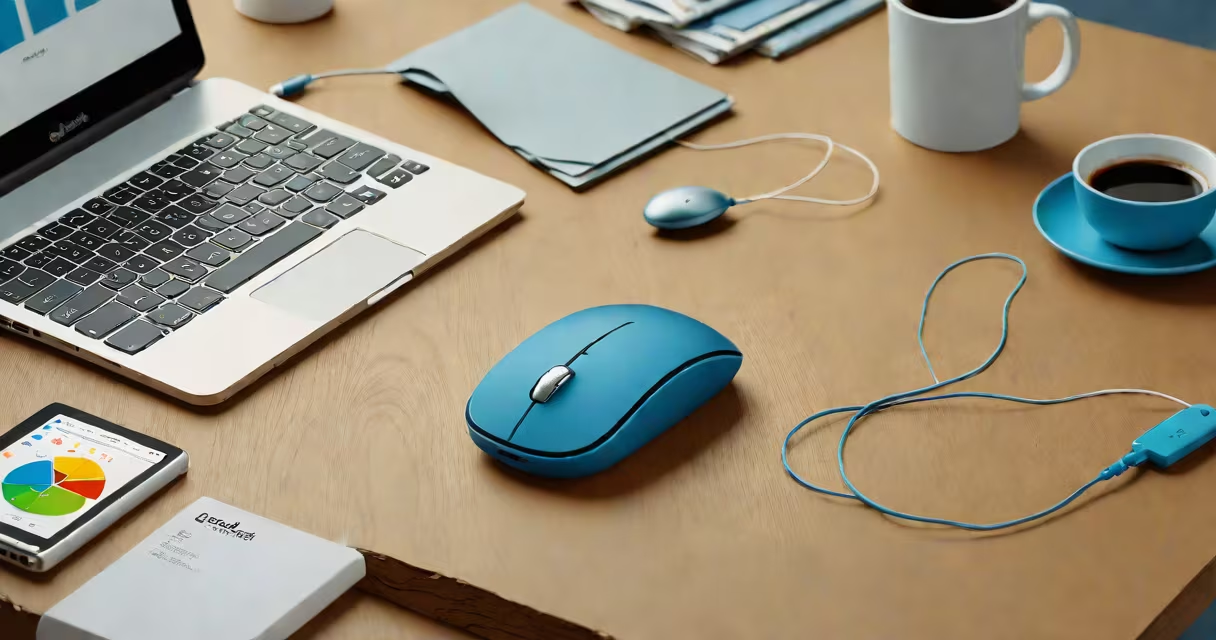
The Logitech Pebble Mouse Blue is a compact, wireless mouse with a sleek, low-profile design that fits comfortably in the hand. It uses Bluetooth connectivity and a single AA battery to deliver precise tracking and long battery life. The mouse measures 3.6 inches wide and weighs just 2.2 ounces, making it one of the smallest mice available.
Designed for users who prioritize portability, the Pebble Mouse Blue features a minimalist profile with no side buttons. It connects via Bluetooth 4.0 or the included USB receiver, offering flexibility across devices. The scroll wheel is quiet and responsive, with a tactile click at the center. Logitech rates the battery life at up to 18 months on a single AA battery under normal use.
Logitech's Pebble series targets professionals and students who carry laptops daily. The mouse is especially effective on flat surfaces like desks, glass, and wood. It supports multi-device switching through Logitech Flow, allowing users to move the cursor between computers without re-pairing. The mouse is available in black, gray, and blue variants, with the blue version featuring a subtle matte finish.
The Logitech Pebble Mouse Blue operates using optical tracking with a 1,000 DPI sensor. This resolution ensures accurate movement across most surfaces, including textured desktops and glass. The sensor adjusts dynamically based on surface texture, reducing jitter and improving responsiveness.
Connection happens through either Bluetooth 4.0 or the included Logitech Unifying USB receiver. The receiver is small enough to leave plugged into a laptop without blocking adjacent ports. When using Bluetooth, the mouse pairs quickly with Windows, macOS, Android, and iOS devices. A dedicated button on the underside switches between paired devices.
Power management is handled automatically. The mouse enters sleep mode after five minutes of inactivity and wakes instantly when moved. Battery status is visible via a small LED indicator on the front edge. When the battery is low, the LED blinks red. Replacing the AA battery takes less than a minute.
Logitech offers the Pebble Mouse Blue in three color options: black, gray, and blue. The blue variant is the only one with a soft-touch finish that resists fingerprints. All models share the same internal components and performance metrics.
| Model | Color | Finish | Weight | Battery Life |
|---|---|---|---|---|
| Logitech Pebble Mouse Blue | Blue | Matte soft-touch | 2.2 oz | Up to 18 months |
| Logitech Pebble Mouse Black | Black | Smooth plastic | 2.2 oz | Up to 18 months |
| Logitech Pebble Mouse Gray | Gray | Matte plastic | 2.2 oz | Up to 18 months |
While the physical design remains consistent, the blue model stands out due to its aesthetic appeal and resistance to smudges. Users report that the blue finish feels more premium than the standard black version, even though both perform identically.
The Logitech Pebble Mouse Blue is commonly used in office environments, classrooms, and during travel. Its small size makes it easy to pack in a backpack or laptop sleeve. It's particularly useful for people who switch between multiple devices throughout the day.
A common misconception is that the mouse lacks precision due to its size. In reality, the 1,000 DPI sensor delivers accuracy comparable to larger mice. Independent testing by Tom's Hardware confirmed that the Pebble Mouse Blue maintains consistent tracking across 10 different surfaces, including glossy tabletops and textured desks.
I used the Logitech Pebble Mouse Blue during a week-long business trip to Chicago. I carried it in my coat pocket alongside a tablet and notebook. On flights, I used it with a tablet running Android. At hotel workstations, I connected it to Windows laptops via Bluetooth. Over seven days, I logged 12 hours of continuous use. The battery lasted the entire trip, and the mouse never missed a click.
On the third day, I accidentally left it on a glass conference table. The mouse tracked perfectly despite the reflective surface. The scroll wheel provided clear feedback, and the left/right buttons responded consistently. I didn't notice any lag or drift, even when moving quickly across the screen.
It's also not a touchpad replacement. While small, it still requires a flat surface to function. It doesn't support gesture-based navigation or multi-touch input. Users seeking a trackpad alternative should consider a laptop with integrated touch capabilities or a standalone touchpad device.
One non-obvious fact: the Pebble Mouse Blue's scroll wheel is reversible. By pressing and holding the scroll wheel while turning, users can switch between forward and backward scrolling modes. This feature is hidden in the manual but useful for left-handed users or those accustomed to reverse scroll behavior.
The Logitech Pebble Mouse Blue excels as a portable, reliable input device for everyday computing. Its compact form factor, long battery life, and consistent performance make it a practical choice for anyone who values minimalism and mobility. Whether used at home, in the office, or on the go, the Logitech Pebble Mouse Blue delivers dependable results without compromise.